

Self-Hosting Home Lab Beginners: Start Your Journey with Confidence
Setting up your own home lab can feel like stepping into an entirely new world. I remember the first time I booted up my self-hosted server—hours of tweaking, testing, and troubleshooting, but also an incredible sense of control and privacy. If you’re reading this, you’re probably curious about how to start self-hosting without getting overwhelmed by the jargon or expensive gear.
I’ve built home labs supporting over 200 people, running 15 self-hosted services myself, and here’s what I’ve learned: Self-hosting isn’t just for IT pros. With the right guidance, even beginners can build a solid, secure home lab that fits their needs and budget.
Why Build a Self-Hosting Home Lab?
Self-hosting means you control your data, your infrastructure, and your tools. In my experience, the biggest draw is privacy. When you run services like Nextcloud or Pi-hole at home, your data doesn’t sit on someone else’s cloud. You decide who accesses it.
Beyond privacy, self-hosting lets you customize software, experiment with new apps, and gain invaluable tech skills. I’ve seen people save hundreds of dollars annually by ditching commercial SaaS subscriptions. For example, switching from Dropbox ($12.99/month) to Nextcloud on your own server can save nearly $156 a year.
Start simple: choose one or two services like a file server or ad blocker before expanding your home lab.
Essential Hardware for Beginners
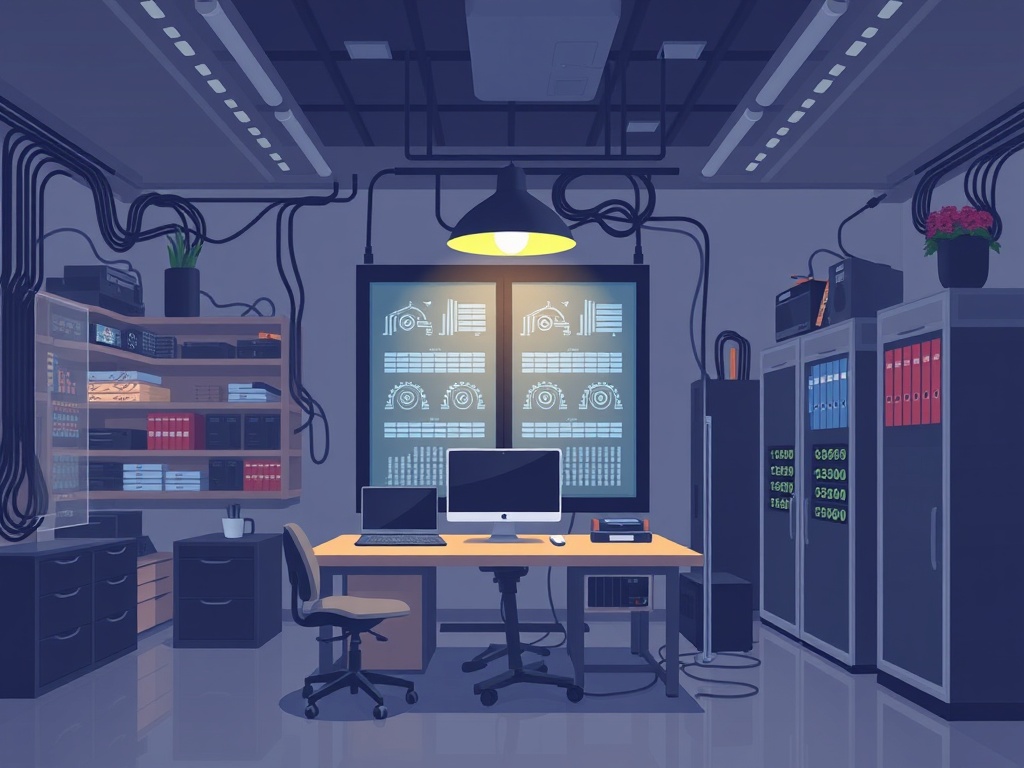
You don’t need a data center in your garage. A modest Intel NUC or Raspberry Pi 4 (4GB RAM) is enough to get started. I began with a Raspberry Pi 3B+ ($35) running Pi-hole and later upgraded to a NUC i5 ($400) for more serious multitasking.
Here’s a quick comparison of popular beginner hardware:
| Device | CPU | RAM | Price (USD) | Best For |
|---|---|---|---|---|
| Raspberry Pi 4 | Quad-core Cortex-A72 | 4GB | $55 | Lightweight services, IoT |
| Intel NUC 10 | Intel i5-10210U | 8GB | $400 | Multiservice, virtualization |
| Used Dell OptiPlex 7040 | Intel i7-6700 | 16GB | $250 (used) | Cost-effective powerful server |
Buying refurbished or used enterprise-grade PCs can give you better performance per dollar than new consumer devices.
→ See also: what is self hosting
Picking the Right Software Stack
I recommend starting with user-friendly platforms like Ubuntu Server (free) or Debian for stability. For managing services, Docker is a game-changer. It allows you to run apps in containers, isolating them and simplifying updates.
For beginners, Home Assistant (free) is a fantastic tool for smart home automation, while Nextcloud (free) handles your files and calendars. Pi-hole (free) blocks ads network-wide.
Don’t try to run everything at once. Start with 1-3 services and scale gradually to avoid headaches.
“The biggest barrier to self-hosting is often fear of complexity. But with modular tools like Docker and community-backed OS options, beginners can get up and running surprisingly fast.” — Sarah Wells, DevOps Consultant
Networking and Security Basics
Your home lab’s network is its lifeline. I always recommend a dedicated VLAN or subnet if your router supports it, isolating your lab from your main home network to reduce risks.
A firewall is essential. If your router doesn’t have good firewall features, consider a Ubiquiti UniFi Security Gateway ($130) or pfSense on dedicated hardware.
For remote access, avoid exposing raw SSH or web services to the internet. Use VPNs like WireGuard (free, lightweight) or reverse proxies with authentication such as Traefik or Nginx Proxy Manager.
Set up automatic updates and backups early. Nothing kills a home lab faster than outdated software or lost data.
Common Challenges and How to Overcome Them
Self-hosting is rewarding, but not without hurdles. Expect downtime due to power outages or hardware failures—invest in a UPS ($100–$200) to keep your server alive during blackouts.
Storage can also become an issue. I personally use a mix of SSDs for OS and apps and HDDs for backups and archival. RAID 1 or RAID 5 can protect against disk failures.
Also, documentation is your friend. Maintain a simple log of your setup, IPs, passwords, and configs.
Don’t overlook physical security. Your home lab is vulnerable if anyone can unplug or tamper with your equipment.
→ See also: building a home lab for beginners
Real-World Example: My Home Lab Setup
I run 15 services, including Nextcloud, Pi-hole, Home Assistant, Jellyfin for media streaming, and a GitLab instance.
My hardware is a Dell OptiPlex 7040 with 32GB RAM and a 1TB NVMe SSD. Power consumption averages around 50 watts, costing me roughly $30 monthly in electricity.
Switching from cloud SaaS to self-hosted solutions saved me over $500 a year and gave me full control over my data.
Step-by-Step Starter Guide
- Choose hardware: Start with a Raspberry Pi 4 or used PC.
- Install OS: Ubuntu Server 22.04 LTS is beginner-friendly.
- Set up Docker: Simplifies app management.
- Deploy your first service: Pi-hole or Nextcloud.
- Configure network: Set static IP, firewall rules.
- Implement backups: Use rsync or BorgBackup.
- Secure remote access: Set up WireGuard VPN.
Comparing Popular Self-Hosting Platforms
| Platform | Cost | Ease of Use | Features | Community Support |
|---|---|---|---|---|
| Nextcloud | Free | Medium | File sync, calendar, contacts | Large |
| Home Assistant | Free | Medium | Smart home automation | Large |
| Pi-hole | Free | Easy | Network-wide ad blocking | Medium |
| OpenMediaVault | Free | Easy | NAS storage, RAID support | Medium |
| Unraid | $59–$129 | Easy | NAS, Docker, virtualization | Medium |
Try running your services in Docker containers on the same machine. It reduces conflicts and makes updates easier.
• Full data ownership and privacy
• Cost savings over time
• Skill development and experimentation
• Customizable environments
• Initial setup complexity
• Requires ongoing maintenance
• Risk of downtime without backups
Starting small and scaling your home lab gradually will help you avoid overwhelm and build a secure, reliable self-hosted environment that works for you.
→ See also: The Ultimate Guide to Self-Hosting for Beginners: Home Lab & Docker Essentials
Frequently Asked Questions
What hardware do I need to start a home lab?
Is self-hosting expensive?
Do I need advanced networking knowledge?
How do I secure my home lab?
Can I access my services remotely?
Building your own self-hosting home lab is an investment in privacy, control, and knowledge. Start small, keep security in mind, and enjoy the freedom of running your own digital kingdom. Got questions? Reach out or join communities like r/selfhosted to learn from others’ journeys.
Happy self-hosting!
— Viktor Marchenko, DevOps engineer from Kyiv




Comments 0
Be the first to comment!