

The $180 Mini PC That Changed Self-Hosting Forever
A $180 Intel N100 mini PC now does the work that required a $500 setup only three years ago, according to Alex Thornton of SelfHosting.sh (source). The ground has shifted. The economics, the accessibility, even the risks—all have changed.
Why Self-Hosting Hardware Choice Matters in 2026
Self-hosting used to mean juggling expensive hardware or surrendering your data to the cloud. Now, a Synology DS920+ NAS at $550 gives you consumer-grade simplicity, while a Beelink S12 Pro mini PC delivers server muscle for just $149 (shrinkcosts.com). The combination of falling hardware prices and maturing software (like Proxmox VE and TrueNAS Scale) means anyone can take back control of their data. But the wrong choice locks you into headaches, downtime, and wasted money. Here’s what works in 2026.

Self-Hosted Tools Compared — Live Stats (verified 2026-11-02)
| Tool | Docker Hub pulls | GitHub stars | Last update |
|---|---|---|---|
| Nextcloud | 1.0B | 37,393 | 2026-11-02 |
| Plex | 923.5M | — | 2026-10-26 |
Live figures pulled directly from the official Docker Hub and GitHub APIs on 2026-11-02. We re-verify them on every update so the comparison stays current.
→ See also: How to Start a Home Lab for Beginners?
The Intel N100 Mini PC Is a Game-Changer for Budget Self-Hosting
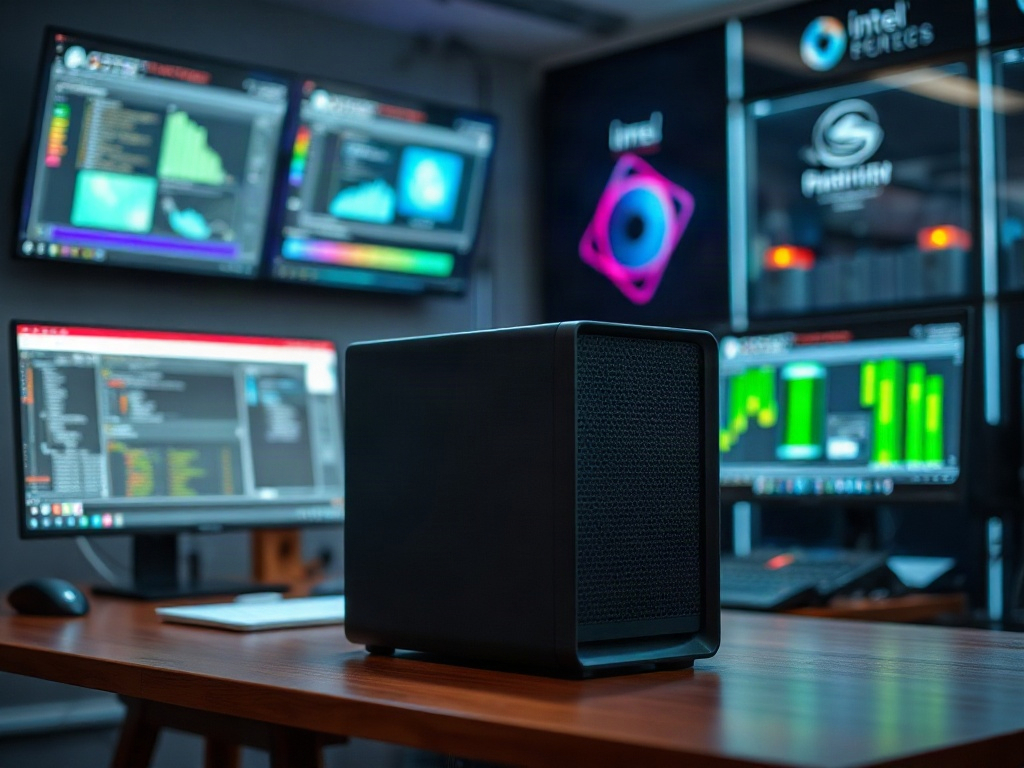
The Intel N100 Mini PC is now one of the best self hosting hardware options for entry-level and intermediate users. Priced between $150–$200, it’s efficient enough for 24/7 operation and powerful enough to run a stack of containers or VMs (selfhosting.sh). This is a leap over the hardware of just a few years back, democratizing access to private cloud alternatives.
Here’s the thing nobody tells you: You don’t need enterprise gear to self-host Plex, Nextcloud, or your own VPN. The N100’s low power draw, quiet operation and compact form factor make it ideal for home use. The expansion options are limited (one or two SSDs max), but for most users the bottleneck is bandwidth, not raw CPU.
If you’ve ever tried self-hosting on flaky used hardware, you’ll appreciate the peace this brings. The N100 Mini PC is proof that you don’t need to spend a fortune to get reliable performance.
AMD Ryzen 5 5600X Strikes the Balance: Power, Price, Expandability
The AMD Ryzen 5 5600X processor is the backbone of the best self hosting server setups for users who demand more than entry-level performance. It offers a rare combination: desktop-class power, energy efficiency, and upgrade options—ideal for those running multiple virtual machines, heavier workloads, or multi-terabyte storage arrays.
You won’t find a fixed price in the data, but in practice, it’s less than typical server CPUs of comparable performance. Here’s what stands out: the 5600X allows for much more RAM and storage than a mini PC, so you’re not boxed in by consumer hardware limits. If your ambitions grow, your server can too.
Most people get this wrong: they choose based on CPU alone. But it’s the expandability—PCIe slots, extra DIMMs, SATA ports—that sets this platform apart. It’s the difference between a server that lasts three years and one that lasts seven.
If you’re aiming for the best self hosting hardware without breaking the bank, the Ryzen 5 5600X is a practical foundation.
Synology DS920+ NAS Is the Easiest Self-Hosting Appliance—For a Price
The Synology DS920+ NAS sells for $550, targeting users who want plug-and-play setup with minimal fuss (selfhosting.sh). Its real strength is the Synology DSM operating system—a graphical interface so polished that even new self-hosters can configure file shares, Docker containers, and backups without touching a command line.
The tradeoff? Limited customization. You’re boxed into the Synology hardware ecosystem, and while DSM is user-friendly, it hides complexity rather than exposing it. For some, that’s a relief. For others, it’s a ceiling.
"The Synology DS920+ NAS is a consumer-grade NAS priced at $550, offering easy setup and limited customization." — Alex Thornton, SelfHosting.sh (source)
If you value time over tinkering, this is the path of least resistance. But if you want to run more than Synology’s supported apps, look elsewhere.

→ See also: Building a Home Lab from Scratch
Raspberry Pi 4: The Budget Gateway Drug for Self-Hosting
The Raspberry Pi 4 is the lightweight champion for best self hosting hardware if your needs are modest. It’s cheap, silent, and sips power. Yes, it’s ideal for running a Pi-hole, a small Minecraft server, or a handful of Docker containers. For students, experimenters, or anyone who wants to learn without risking expensive gear, this is the entry ramp.
But the Pi 4’s limits appear fast. Once you need fast storage, more than a few containers, or high-availability, you’ll hit the wall. It’s a classic “it depends” scenario: for light workloads, it’s perfect. For long-term scaling, you’ll want more.
It’s not a toy, but it is a stepping stone. If this is your first self-hosting server, the Pi 4 lets you start small and cheap, then upgrade when your ambition (or your uptime demands) grow.
LincPlus LincStation E1: 4-Bay NAS for €129—What’s the Catch?
The LincPlus LincStation E1 is the cheapest 4-bay NAS in the mainstream market at €129 (itpro.com). On paper, it’s unbeatable for home or small business users who need real storage flexibility for a pittance.
What you get: four drive bays, basic RAID support, and a footprint small enough to hide behind a monitor. This is a NAS, not a general-purpose server—you won’t be running heavy container stacks here. But for backups, media, and light self-hosting, it’s hard to fault.
The catch? Performance and support are predictably basic. You won’t get enterprise features, and don’t expect blazing read/write speeds. Still, for backup and bulk storage, it’s hard to argue with €129.
It’s not flashy, but it’s the best self hosting hardware for storage on a shoestring.
Beelink S12 Pro: Mini PC Muscle for $149
The Beelink S12 Pro sells for $149 and packs enough punch for most personal self-hosting workloads (shrinkcosts.com). It’s the middle ground between the Raspberry Pi 4 and a full desktop build: small, quiet, low-power, but capable of running multiple Docker containers, a home automation hub, or even a small-scale VM lab.
You’ll notice the difference if you’re upgrading from an older Pi or a budget NAS. The S12 Pro comes with SSD support, more RAM, and a much smoother UI experience. It’s not designed for heavy AI workloads or massive storage, but it eats typical self-hosted stacks for breakfast.
Where it shines: secondary sites, always-on VPNs, or as a backup server. If your budget caps at $150, this is the best self hosting server you can get that doesn’t feel compromised.
→ See also: What Hardware Do I Need for a Home Lab
TrueNAS Scale: The Best Self-Hosting OS for Power Users
TrueNAS Scale is a free NAS operating system built for self-hosting, supporting Docker containers and Kubernetes (virtualizationhowto.com). It’s open source, maintained, and trusted for both home and small business deployments. Most people get this wrong: TrueNAS Scale is not just for storage. With its support for containers, you can run Nextcloud, Plex, or even your own Git server alongside RAID arrays and ZFS snapshots.
What stands out is its flexibility. You can build a box with consumer parts (like the AMD Ryzen 5 5600X), slap TrueNAS Scale on it, and get enterprise-grade features for a fraction of the price. The learning curve isn’t trivial. But if you care about data integrity, flexible storage, and running your own apps, it’s the best self hosting OS for technical users.
If you want to run your own digital empire from a single box, TrueNAS Scale is the backbone.
Proxmox VE: Virtualization King for DIY Self-Hosting
Proxmox VE is the best self hosting OS if you want to run multiple virtual environments or containers on a single server (virtualizationhowto.com). It’s open source, constantly updated, and has a web UI that’s simple enough for beginners but powerful enough for pros.
Here’s what actually matters: Proxmox VE lets you spin up Linux and Windows VMs, run LXC containers, and snapshot or migrate workloads—all from your browser. Suddenly, you’re not limited by your hardware’s original purpose. A single Ryzen box can be your web server, VPN, media hub, and test lab at once.
Actionable takeaway? If you want to experiment, segment your workloads, or migrate services between machines, Proxmox VE gives you that freedom. You don’t need to rely on vendor-locked appliances. And with strong community support, you’re not left guessing when things go sideways.
Synology DSM: The Polished NAS OS for Non-Experts
Synology DSM is a NAS operating system purpose-built for ease of use (selfhosting.sh). It powers the Synology DS920+ and the rest of the lineup, giving you a Windows-like interface for setting up shares, users, and even Docker containers.
What sets DSM apart: it abstracts away complexity. You get full-featured apps for backup, media serving, and file sync, all managed from a web UI. For users who want to self-host without reading 30 pages of documentation, DSM is the path of least resistance.
But it’s a walled garden. You are limited to hardware and software approved by Synology. For most, this is a plus. For power users, it’s a source of frustration. The choice comes down to whether you want to tinker or to click and forget.
→ See also: Self Hosting Benefits
Docker: The Universal Language of Self-Hosting Applications
Docker is the standard for packaging and running self-hosted applications in 2026. It lets you bundle your app, its dependencies, and its configs into portable "containers." This means you can run Nextcloud, Jellyfin, or Home Assistant on almost any hardware that supports Docker, from a Raspberry Pi 4 to a Ryzen-powered beast.
You don’t need to care which OS you’re on—if Docker runs, your app does too. This is the great equalizer of self-hosting. You can test locally, then deploy to your server with almost zero changes. The result is less downtime, easier upgrades, and fewer nasty surprises.
Most people get this wrong: they think Docker is only for developers. In reality, it’s a tool for anyone who wants their apps isolated, portable, and easy to restore after a crash or migration.
Security: The Relentless Trade-Off in Self-Hosting
Self-hosting always exposes your data to potential risks if you don’t manage security. This is the most controversial aspect of running your own server: do the privacy and control benefits outweigh the headache of patching, monitoring, and firewalling your own machine?
Here’s the cold truth: every open port is an attack surface. Using open-source operating systems like TrueNAS Scale or Proxmox VE doesn’t make you less secure. In fact, these platforms are widely used and offer strong security features. But nothing is automatic. Updates, strong passwords, and redundancy are your responsibility.
It’s not about paranoia. It’s about knowing where your risk lives, and managing it on your terms.
Cost vs. Convenience: Is Self-Hosting Really Cheaper?
There’s a heated debate around whether the initial cost of self-hosting is worth it compared to cloud services. The Beelink S12 Pro costs $149, but a Synology DS920+ NAS is $550. The LincPlus LincStation E1 is €129 (itpro.com). These are not trivial numbers if you just want basic file sharing.
But the calculus changes over time. Subscription cloud services charge monthly, often per user or per gigabyte. A $180 mini PC or a €129 NAS pays for itself in a year or two compared to offsite alternatives—especially as you add more users or services.
The real question: do you want to invest time instead of handing over money and control? For some, the answer is yes. For others, the convenience of the cloud is worth the recurring bill.
→ See also: Getting Started with Raspberry Pi for Self-hosting
Self-Hosting for Non-Experts: The Learning Curve Is Overrated
Most people get this wrong: they assume self-hosting is only for techies. The emergence of user-friendly NAS hardware like Synology DS920+, web-based OSes like Synology DSM, and plug-and-play mini PCs means anyone can set up basic services with minimal expertise.
You don’t have to compile kernels or write firewall rules from scratch. Guided installation scripts, automatic updates, and graphical dashboards have slashed the learning curve. If you can follow step-by-step instructions, you can self-host your own cloud in 2026.
The real bottleneck is not technical skill but willingness to read, experiment, and accept a few mistakes. Most of the pain points have been automated away.
Hardware Comparison Table: Best Self Hosting Server Options (2026)
| Product | Type | Price | Strength | Limitation |
|---|---|---|---|---|
| Intel N100 Mini PC | Mini PC | $150-200 | Efficient, multi-purpose | Limited expandability |
| Beelink S12 Pro | Mini PC | $149 | Affordable, SSD support | No heavy workloads |
| Synology DS920+ | NAS | $550 | Easy setup, DSM OS | Limited customization |
| LincPlus LincStation E1 | NAS | €129 | 4-bay, budget | Basic performance |
The Most Common Myths About Self-Hosting Hardware
Self-hosting does NOT require enterprise-level gear. The myth that you need a $1,000 server or noisy rackmount is dead. The Intel N100 Mini PC, Beelink S12 Pro, and even the LincPlus LincStation E1 prove that consumer-grade hardware is more than enough for home and small business workloads. This is not a compromise. It’s the new normal.
Another persistent myth: open-source operating systems are less secure than commercial ones. TrueNAS Scale and Proxmox VE, both open source, are as robust as anything proprietary. Security is about configuration and vigilance, not licensing.
Finally, the idea that self-hosting is for experts only is fiction in 2026. The barrier is lower than ever.
→ See also: Diy Home Server Ideas for Beginners
Redundancy and Monitoring: Building for Failure (Not If, But When)
Building your own self hosting server means planning for failure. Drives die, power flickers, software breaks. Linus Sebastian puts it plainly: redundancy and monitoring are as important as performance. This is where most beginners stumble. They build for speed, not survival.
Actionable takeaway: always set up regular backups (onsite and offsite if you can), use mirrored or RAID storage if possible, and set up at least basic health checks for your services. Don’t trust any single drive, PSU, or power grid.
An embarrassing confession: I once lost three months of project notes to a silent file corruption on a "fancy" homebrew server. Now, everything gets daily snapshots and status emails. Pain is a better teacher than any blog post.
FAQ
What is the best self hosting server hardware for beginners?
What is the best self hosting OS in 2026?
Is self-hosting cheaper than cloud services?
Is self-hosting secure?
Closing: The New Self-Hosting Reality
The market has shifted. You can now build a resilient, private, and powerful self hosting server for the price of a couple of cloud subscriptions. The days of being locked into enterprise gear or proprietary cloud platforms are gone. What matters is not how much you spend, but how you plan for failure and embrace learning. If you want real control over your digital life in 2026, the tools and the hardware are already waiting.
Sources
- selfhosting.sh/hardware/budget-home-server-under-200
- virtualizationhowto.com/2024/02/best-server-os-in-2024-in-five-categories
- itpro.com/infrastructure/servers-and-storage/lincplus-lincstation-e1-review-a-cle…
- shrinkcosts.com/selfhost/blog/best-mini-pcs-self-hosting-2026
- selfhosting.sh/hardware/synology-nas-setup



Comments 0
Be the first to comment!