
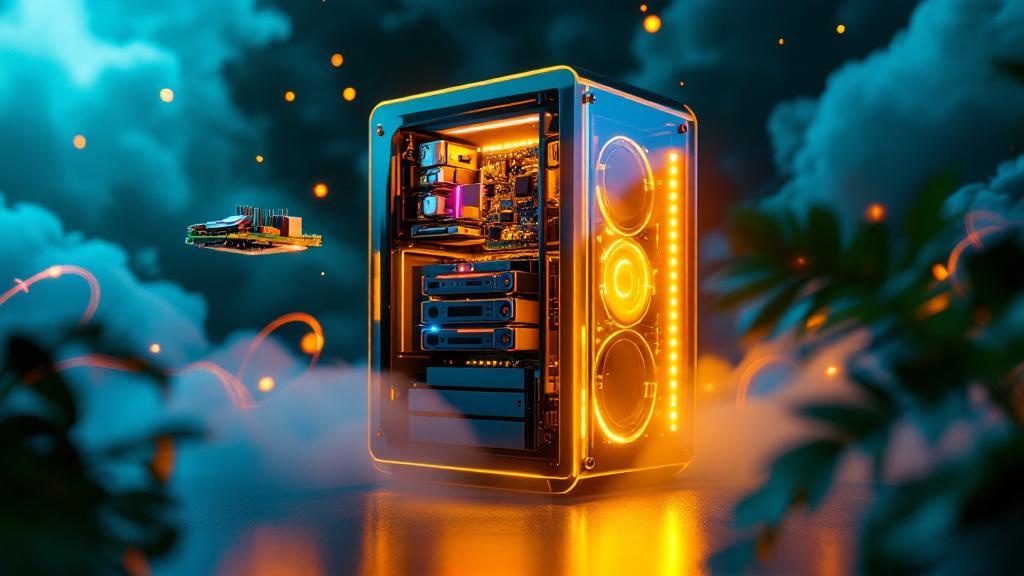
The GMKtec NucBox K11 outperforms traditional home lab towers at a base price of just $500 as of July 2026—without the noise, heat, or power draw of a rack server 1.
Hardware for small home labs is more affordable and powerful in 2026 than most people think
It used to be that running an ESXi lab or a dedicated NAS meant a $2,000+ investment and a divorce from your electricity bill. Not anymore. The Synology DiskStation DS223j delivers practical NAS features for $189 as of June 2026, with DSM software that even beginners don’t curse at 2. Most people still assume you need a full desktop or server for serious home lab work, but mini PCs and single-board servers have closed the gap—sometimes for less than the cost of a mid-range GPU.
Home Assistant — Live Project Stats (verified 2026-10-12)
| Metric | Value | Source |
|---|---|---|
| Docker pulls | 797.0M | Docker Hub · homeassistant/home-assistant |
| GitHub stars | 91,398 | github.com/home-assistant/core |
| Forks | 38,882 | GitHub |
| Open issues | 3,346 | GitHub |
| Last updated | 2026-10-12 | GitHub |
| License | Apache-2.0 | GitHub |
Figures pulled directly from the official Docker Hub and GitHub APIs on 2026-10-12. We re-verify these numbers on every update so they stay accurate.
→ See also: How to Start a Home Lab for Beginners?
GMKtec NucBox K11 is the best-value mini PC for ESXi home labs in 2026
The GMKtec NucBox K11 is considered the best-value mini PC for running ESXi at home, priced at approximately $500 for the base hardware as of July 2026 1. It comes with an AMD Ryzen 9 8945HS, dual 2.5GbE NICs, and support for up to 128GB of DDR5 RAM using 2x64GB SO-DIMMs. For most small lab setups, this box covers everything from virtualization to multi-service testing. The dual 2.5GbE opens the door for high-throughput networking or link aggregation, which used to be purely enterprise territory. You’d expect to pay twice as much for similar performance from most small form factor systems.
Here’s the thing nobody tells you: upgrading to 128GB RAM is only useful if you’re actually running heavy multi-VM workloads. For most, 32GB or 64GB is more than enough. Spend the difference on SSDs or backup drives instead.

Synology DiskStation DS223j delivers reliable, user-friendly NAS for $189
The Synology DiskStation DS223j offers a budget NAS solution with user-friendly DSM software and costs around $189 as of June 2026 2. It ships with 1GB RAM, which is double its predecessor, and covers all the basics: NFS, SMB, Time Machine, Docker support for basic containers, and a setup process that takes less than 20 minutes. For anyone starting out or running lightweight home storage, this is often the last NAS you’ll need for years. Synology’s DSM is the only web interface that gets out of your way—no “enter your RAID geometry” popups at step one.
Why do people still obsess over custom NAS builds? Because they think prebuilt means overpriced or locked down. In reality, the DS223j’s price is $189, and it runs circles around generic USB enclosures or ancient office desktops repurposed as file servers. If you want to avoid troubleshooting kernel panics every month, this is the budget NAS to get.
IceWhale ZimaBoard 2: compact, passively cooled x86 server for $279
The IceWhale ZimaBoard 2 is a single-board, passively cooled x86 server starting at $279 as of May 2026 3. It runs an Intel N150 Twin Lake quad-core CPU with dual 2.5GbE networking. This board targets home lab users who want a balance of low power, no fan noise, and flexibility to run Proxmox, TrueNAS, or Docker stacks. Everything fits inside a case the size of a paperback—no rack rails, no cable spaghetti.
There’s a sweet spot here: the ZimaBoard 2 is more powerful than Raspberry Pi or ARM SBCs, but costs less than most mini PCs with similar networking. You won’t break performance records, but for Home Assistant, Pi-hole, or several lightweight VMs, it’s hard to beat for under $300. There’s a cult of minimalism in the home lab world, and this board is their altar piece.

→ See also: Building a Home Lab from Scratch
Beelink EQ13 and GMKtec NucBox G3: budget mini PCs for light 24/7 lab duty
The Beelink EQ13 is an all-around budget lab box, priced at approximately $399 as of May 2026 7. It supports a wide range of home lab applications—from Docker containers to VM testing—and is built to run 24/7 without drama. You don’t get fancy networking or ECC RAM, but you do get stable, predictable performance. The GMKtec NucBox G3 is even more affordable, coming in at $250 and targeted for light, always-on roles like Home Assistant, AdGuard Home, or basic Docker services 5.
Here’s what most people get wrong: expecting a $399 mini PC to replace a $2,000 workstation for video encoding or massive VM sprawl. These boxes are for focused use cases—one or two core services you want running all the time. For anything heavier, you need to move up the stack.
Raspberry Pi 5: the energy efficiency vs. performance debate
A Raspberry Pi 5 kit with 16GB RAM and a 512GB SSD costs $246.95 as of early 2026 6. It’s the poster child for energy efficiency, but there’s a ceiling to what it can handle. For basic automation, monitoring, or as a lightweight network appliance, the Pi 5 shines. Push it into heavier territory—multiple Docker containers, heavy database workloads, or VMs—and you’ll hit the limits fast.
This is where the debate splits the community. Some argue that a single $500 mini PC replaces three Raspberry Pis for both performance and manageability, while others swear by running Pi clusters for learning distributed systems. What you actually need depends on your use case, not ideology. If you care about noise, heat, and power draw above all, the Pi 5 is still in the game for 2026.
Broadberry CyberServe EPYC EP1-102A: rack server performance, but not budget pricing
The Broadberry CyberServe EPYC EP1-102A is a compact 1U rack server with a 16-core AMD EPYC 4545P, supporting up to 192GB DDR5 memory, priced at £3,656 (excluding VAT) as of August 2026. This is the outlier in the affordable hardware for small home labs discussion—because it’s not affordable, but it is compact and powerful. Used or refurbished units sometimes come at a discount, which is a debated strategy for budget home labs.
There’s a persistent myth that rack servers like the EPYC EP1-102A are “enterprise-only,” but in reality, many DIYers buy them secondhand. The tradeoff is noise, power consumption, and heat. Most people will never need 16 cores and 192GB RAM at home, but for those running dozens of VMs or simulating enterprise environments, it’s one of the few off-the-shelf options.
→ See also: What Hardware Do I Need for a Home Lab
Ugreen NASync DXP4800 Plus NAS: high-end features at a mid-tier price
The Ugreen NASync DXP4800 Plus NAS, priced at $657 as of July 2026, packs an Intel Pentium Gold 8505, 8GB DDR5 (expandable to 64GB), dual M.2 NVMe cache, and a 10GbE port 4. This is aimed at small businesses and content creators, but it’s also a power user’s dream for lab environments that need fast caching and high network throughput on a budget. Most consumer NAS units cap out at gigabit speeds or lack real NVMe cache support—this one doesn’t.
Is it affordable for a small home lab? If your lab revolves around media streaming, frequent large file transfers, or multi-user scenarios, $657 is a bargain compared to building a comparable system from scratch. It’s overkill for simple backups, but a steal if you’d otherwise need to buy multiple devices.
Comparison Table: Affordable Hardware for Small Home Labs (2026)
| Device | CPU | RAM (Std/Max) | Networking | Price (2026) |
|---|---|---|---|---|
| GMKtec NucBox K11 | AMD Ryzen 9 8945HS | 32GB / 128GB | Dual 2.5GbE | $500 |
| Synology DS223j | — | 1GB | 1GbE | $189 |
| IceWhale ZimaBoard 2 | Intel N150 Twin Lake | — | Dual 2.5GbE | $279 |
| GMKtec NucBox G3 | — | — | — | $250 |
| Beelink EQ13 | — | — | — | $399 |
| Raspberry Pi 5 Kit | — | 16GB | — | $246.95 |
| Ugreen NASync DXP4800 Plus | Intel Pentium Gold 8505 | 8GB / 64GB | 10GbE | $657 |
The misconception that high performance requires high cost is permanently broken
Most people get this wrong: they assume you need to spend thousands to get reliable, high-performance home lab hardware. The GMKtec NucBox K11 and Synology DS223j have shattered that myth, offering robust mini PC and NAS solutions at $500 and $189 respectively 1. Not every home lab requires a rack server or enterprise-grade storage. For the vast majority of home users and tinkerers, these devices are all you need to run real-world workloads, learn virtualization, and automate your house.
There’s a philosophical angle to this: the days when only well-funded hobbyists could run serious labs at home are over. The barrier to entry is now the knowledge, not the budget. You’ll notice this is what actually works. Not the fluffy advice you see everywhere.
→ See also: Self Hosting Benefits
RAM upgrades and the myth of "more is always better"
The data shows the GMKtec NucBox K11 supports upgrading to 128GB of DDR5 RAM. But the common misconception is that more RAM always equals better performance. For most home labs, especially those running a handful of Docker containers or a few VMs, 32GB or 64GB is more than enough. Chasing maximum RAM makes sense only for heavy multi-VM environments, persistent DevOps CI pipelines, or large-scale database testing.
There’s a trap here: spending on maximum RAM up front, then realizing you never come close to using it. The smarter move is to match your RAM to actual workloads and reallocate budget to SSDs or backup redundancy. “More RAM” is what marketers sell; “just enough RAM” is what actually works at home scale.
Used servers vs. new hardware: reliability and real savings
The reliability of used hardware for home labs is often debated. Devices like the Broadberry CyberServe EPYC EP1-102A, while expensive new, can sometimes be found at a discount on the used market. The reality is that used enterprise gear often outperforms new consumer hardware at a lower cost—but there is always a tradeoff in warranty, longevity, and power consumption.
People debate this endlessly: is it better to buy a new $500 mini PC or a used $800 rack server that’s five years old? If uptime and quiet operation matter, choose new. If you want raw power per dollar and can tolerate higher risk and noise, a used rack server might be the way. There’s no magic answer—just priorities.
Energy efficiency: when lower power is the only upgrade that matters
The Raspberry Pi 5 kit, at $246.95 with 16GB RAM and a 512GB SSD 6, is the champion of energy efficiency. For always-on applications, the difference in power draw between a Pi and even the smallest x86 mini PC adds up over a year. But there’s a hard limit to what you can run efficiently. If you need persistent VMs, fast storage, or heavy multitasking, you’ll hit the ceiling quickly.
Energy efficiency isn’t just about saving on electricity; it’s about heat, noise, and the ability to hide your entire lab behind a monitor or in a closet. If your workloads fit, the Pi 5 is the only logical choice for “set and forget” reliability. When they don’t, you’ll know immediately by the performance bottleneck—and then it’s time to size up.
→ See also: Getting Started with Raspberry Pi for Self-hosting
FAQ
What is the best affordable mini PC for ESXi home labs in 2026?
Which NAS offers the best value for small home labs?
Is it better to buy new or used hardware for a home lab?
Does more RAM always improve home lab performance?
The bottom line: affordable home labs are about matching hardware to real needs, not chasing specs
You can now build a functional, quiet, and powerful home lab for under $600—sometimes half that if you go single-board or use existing parts. The idea that high performance requires high cost is dead, but so is the myth that you need to max out every spec. Pick what fits your actual workflow, not the one you think you’ll have in five years. Spend your time learning, not troubleshooting hardware. The rest is just noise.
: https://vmwaremadesimple.com/articles/best-vmware-home-lab-hardware-2026.html
Sources
- vmwaremadesimple.com/articles/best-vmware-home-lab-hardware-2026.html
- androidcentral.com/best-cheap-nas
- techradar.com/computing/icewhale-zimaboard-2-mini-nas-review
- techradar.com/pro/ugreens-exceptionally-powerful-nasync-dxp4800-plus-nas-drops-in-pri…
- hueglist.com/blog/best-budget-mini-pcs-for-home-labs
- tomshardware.com/raspberry-pi/raspberry-pi-and-mini-pc-home-lab-prices-hit-parity-as-dra…
- itpro.com/infrastructure/servers-and-storage/broadberry-cyberserve-epyc-ep1-102a-…




Comments 0
Be the first to comment!