
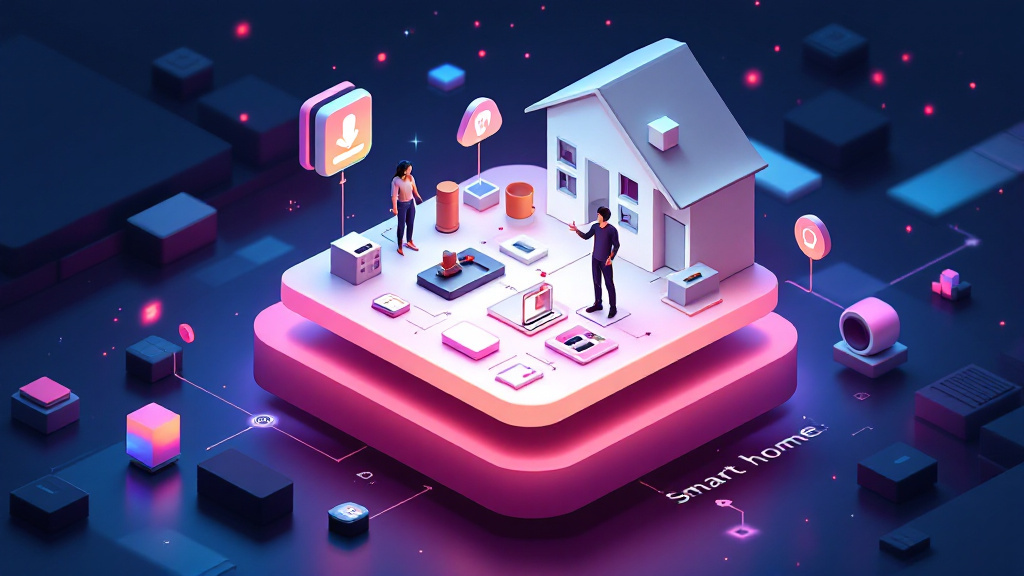
Home Assistant now supports more than 3,400 integrations, giving it the widest device compatibility of any self-hosted smart home platform on the market.1
Privacy and Local Control Are Now Practical Priorities
You do not have to choose between convenience and privacy anymore. Home Assistant operates entirely on your local network, letting automations, notifications, and device control keep running even if your internet goes down.6 For anyone tired of vendor lock-in and unpredictable cloud outages, this is an inflection point. Home Assistant’s open-source, subscription-free model means you control your data and your setup, not some SaaS dashboard you can’t audit or modify.1

Self-Hosted Tools Compared — Live Stats (verified 2026-10-12)
| Tool | Docker Hub pulls | GitHub stars | Last update |
|---|---|---|---|
| Home Assistant | 797.0M | 91,398 | 2026-10-12 |
| Zigbee2MQTT | 127.7M | 15,712 | 2026-10-10 |
Live figures pulled directly from the official Docker Hub and GitHub APIs on 2026-10-12. We re-verify them on every update so the comparison stays current.
→ See also: How to Start a Home Lab for Beginners?
Home Assistant Is the Core of Self-Hosted Smart Home Integration
Home Assistant is the leading open-source automation platform, and its ecosystem is deeper than most realize. The platform supports over 3,400 integrations, covering Zigbee, Z-Wave, Wi-Fi, and the new Matter protocol.1 This lets you bring together devices from different brands—often ones that have no official cross-compatibility—and unify their control in a single dashboard. Installation is flexible: you can run it on a Raspberry Pi, mini-PC, or any virtual machine.6
The platform’s automation engine means you can build routines like turning on your hallway light at sunset or sending a notification when a door is left ajar.7 Don’t underestimate what you can automate: the community regularly shares advanced blueprints for routines you wouldn’t have thought to request.

Homebridge Extends Apple HomeKit to the World of Self-Hosting
Homebridge brings over 2,000 plugins to the table, allowing even non-HomeKit devices—Ring, Nest, TP-Link Kasa, Hue, Belkin Wemo, myQ, UniFi Protect—to join Apple’s Home ecosystem.2 This is a lifeline if you already use iOS as your family’s smart home interface but want the flexibility and privacy of self-hosted backends.
It runs as a lightweight Node.js server, so you don’t need a beefy machine. Homebridge is free, and its plugin model means enthusiastic users often add support for new hardware faster than official vendors do.2 The setup can seem daunting, but most plugins are now a one-line install and offer web UI configuration.
Homebridge is ideal if you want to tie together disparate devices under Apple Home, but refuse to send your usage data to Cupertino or third-party clouds.
Zigbee2MQTT: Vendor Lock-In Is Not Your Fate
Most people get this wrong: Zigbee does not have to mean buying a branded, cloud-dependent hub. Zigbee2MQTT acts as a universal bridge, translating data between your Zigbee network and any MQTT broker.5 This lets you add everything from cheap sensors to advanced switches—regardless of vendor—and control them through your self-hosted platforms.
With Zigbee2MQTT, you avoid the trap of incompatible smart home islands. You don’t need a Philips Hue Bridge, Aqara Hub, or any vendor-specific appliance. Instead, a single Zigbee USB stick and a Raspberry Pi (or equivalent) form the core, forwarding all device events to your MQTT broker, where Home Assistant or other automation engines can process them.
This approach dramatically reduces both clutter and cost, and you are no longer at the mercy of manufacturers deciding to drop support for your hardware. Pairing a new device can be as simple as clicking “permit join” in your Zigbee2MQTT web UI.

→ See also: Building a Home Lab from Scratch
SUPLA and the API/MQTT Approach: Custom Integrations, Minimal Headache
SUPLA’s design places MQTT and REST APIs at the center, allowing seamless connections between your devices, automation systems, and external apps.3 This is the route for anyone who wants to script custom routines, feed sensor data to bespoke dashboards, or connect with platforms outside the usual smart home suspects.
SUPLA is open-source and free, with a focus on developer flexibility. Its MQTT support allows you to treat every device event as a publish/subscribe message, opening the door to advanced automations or third-party notification systems. REST APIs handle the rest: you can trigger events or fetch device states from anywhere on your network, or even expose secure endpoints for remote access.
You’ll notice that SUPLA is more barebones than some GUI-heavy competitors, but the tradeoff is power. If you want to build a system that is uniquely yours—no compromise, no hidden cloud dependencies—this is the path.
Homey Self-Hosted Server: Modern Compatibility Across Platforms
Homey Self-Hosted Server is compatible with Raspberry Pi, Linux, macOS, Windows, Docker, Proxmox, TrueNAS, QNAP, Synology, and Unraid.4 This wide platform support means you can run your smart home controller on almost any hardware you already own.
Pricing for Homey Self-Hosted Server depends on your existing hardware, but the key is flexibility. You are not forced into a single appliance or locked into vendor hardware cycles. Homey’s wide protocol support means you can integrate Z-Wave, Zigbee, Wi-Fi, and more—often alongside Home Assistant or other tools if you want redundancy or experiment with different automation engines.
You have a real choice: run everything on a single server, or distribute services across devices you already use for storage, backups, or media.
Local Automation: Control Without the Cloud
Home Assistant’s local-first approach guarantees that automations and device controls keep running even during an internet outage.6 This is not some esoteric feature; it is the one thing that makes your smart home feel reliable, rather than an unpredictable science experiment.
Complex automations—like setting lights to follow the sun’s schedule, or sending a push notification when a motion sensor detects movement and no one is home—can be processed entirely on your network.7 This is what actually works. Not the fluffy advice you see everywhere about “seamless cloud integration.”
When you own the automation engine, you control update timing, feature sets, and device support. You avoid forced firmware updates, sudden feature removals, and the frustration of discovering your “smart” home is dumb until someone else’s server comes back online.
→ See also: What Hardware Do I Need for a Home Lab
Community Support and Ongoing Evolution
Home Assistant’s large and active community provides extensive tutorials, custom components, and troubleshooting help.6 This is not trivial. For every hour you spend tinkering, you save two hours by finding someone who has already solved your exact problem.
Most people get this wrong: self-hosting does not mean you are alone. Forums, GitHub repositories, Discord servers, and dedicated websites offer guidance—often with specific YAML or script examples you can copy-paste. Home Assistant’s ecosystem means that obscure devices or edge-case routines are far more likely to be supported than with closed vendor platforms.
Common Misconceptions: Technical Skills, Security, and Cost
Most people overestimate the difficulty of self-hosting. Platforms like Home Assistant have user-friendly installation guides, and their communities are invested in onboarding beginners. You do not need to be a Linux wizard to get started.
A second myth: self-hosted services are less secure than cloud solutions. In reality, with proper configuration and regular updates, you often end up with better security and stronger data privacy. You decide who can access your data, and your usage patterns aren’t harvested by third parties.
Finally, while setup costs exist, self-hosting removes ongoing subscription fees and gives you resource control. The long-term math almost always favors owning your stack, especially as you add new devices and automations.
HTML Comparison Table: Self-Hosted Smart Home Platforms
| Platform | Price | Integrations/Plugins | Local Control | Supported Hardware |
|---|---|---|---|---|
| Home Assistant | Free | 3,400+ integrations | Yes | Raspberry Pi, mini-PC, VM |
| Homebridge | Free | 2,000+ plugins | No | Node.js server |
| SUPLA | Free | MQTT, REST API | Yes | Custom, open-source |
| Zigbee2MQTT | Free | N/A (acts as bridge) | Yes | Raspberry Pi, MQTT broker |
| Homey Self-Hosted Server | Varies (hardware dependent) | Platform dependent | Yes | Raspberry Pi, Linux, macOS, Windows, Docker, Proxmox, TrueNAS, QNAP, Synology, Unraid |
→ See also: Self Hosting Benefits
FAQ
How do I start integrating self-hosted services with my smart home?
Do I need programming experience to self-host my smart home?
Are self-hosted smart homes secure?
Can I use my existing hardware for self-hosting?
A Closing Perspective: Why I Trust Local, Open-Source Integration
There’s a certain peace in knowing every automation, every sensor, and every byte of data in your home starts and ends with hardware you own. Home Assistant’s 3,400+ integrations and open-source nature1 give you a canvas, not a cage. The technical barriers have never been lower. The real challenge is deciding what you want your home to do for you—and realizing, with self-hosted tools, that the answer is almost anything.
Sources
- homeserver.page/app/home-assistant
- talos.tools/selfhosted/homebridge
- supla.org/en/get-started/integrate-and-build
- homey.app/en-dk/homey-self-hosted-server
- fossengineer.com/zigbee2mqtt-self-hosted-zigbee-bridge
- selfhostedguides.com/homeassistant-smart-home
- unraid.net/use-cases/home-assistant




Comments 0
Be the first to comment!