

Home servers are undergoing a resurgence in popularity due to growing dissatisfaction with rising subscription costs, dwindling digital media ownership, and concerns over data privacy. (TechRadar, 2026) [1]
Most people jump into home labs expecting an easy swap from plug-and-play gadgets, only to hit the wall of hardware compatibility. Subscription fatigue and privacy anxiety are driving this—yet the path is littered with hardware mismatches, power draw headaches, and the chaos of mixing old and new gear.
Hardware Compatibility is the Gatekeeper in 2026
Troubleshooting hardware compatibility in home labs is the single biggest barrier for self-hosters scaling past basic setups. The data shows: home servers are trending upward, fueled by frustration with rising streaming and SaaS prices and the desire to control your own data. (TechRadar, 2026) [1] If you want to avoid throwing money at hardware that won’t play nice, you’ll need to get ruthless about matching components at every layer: CPU sockets, RAM types, drive interfaces, network cards. The classic mistake is assuming that any PC part from the last decade “should just work”—it won’t, and you’ll waste hours chasing driver ghosts or bottlenecked buses. The actionable step is simple but overlooked: before buying, look up official compatibility lists for every motherboard, drive, and network card. It’s unglamorous, but it’s the difference between a home lab that boots and one that sits in pieces.

Energy Efficiency Dictates Both Compatibility and Cost
Having more energy-efficient components is a solution. (Mir, Tech Enthusiast, TechRadar, 2026) [1] The old myth is that any server-grade hardware is good enough. In practice, dropping a 2012 Xeon in your rack blows up your power bill, and sometimes won’t even POST with modern ECC memory. The real-world pain: power-hungry legacy hardware triggers thermal shutdowns, tripped breakers, or permanent throttling. If you’re mixing old and new gear, you’ll notice that modern drives and CPUs use radically less power for the same throughput. The actionable fix: prioritize energy-efficient CPUs and SSDs, even if they cost more up front. Over a year, you’ll save on electricity and spend less time debugging random reboots caused by overheating.
"Having more energy-efficient components [is a solution]." — Mir, Tech Enthusiast. TechRadar, 2026
→ See also: How to Start a Home Lab for Beginners?
Network Cards and Storage Controllers Are Compatibility Wildcards
The data shows: most people get this wrong. Network cards and storage controllers are the most frequent source of compatibility failures in home labs, especially when mixing consumer and enterprise parts. The problem? Consumer motherboards often drop support for “server” add-in cards, and vice versa. Firmware mismatches can brick a RAID card or force you into single-drive mode. No statistic will save you if you ignore this: always check your motherboard’s QVL (Qualified Vendor List) for every network and storage controller. If you’re repurposing old hardware, don’t assume it will accept modern NVMe or 10Gb NICs—verify slot type (PCIe version matters), and check for driver support in your chosen OS, especially if you’re running Linux. Your actionable step: keep a spreadsheet of every component and its supported firmware/driver versions. You’ll thank yourself in the third hour of a troubleshooting session.
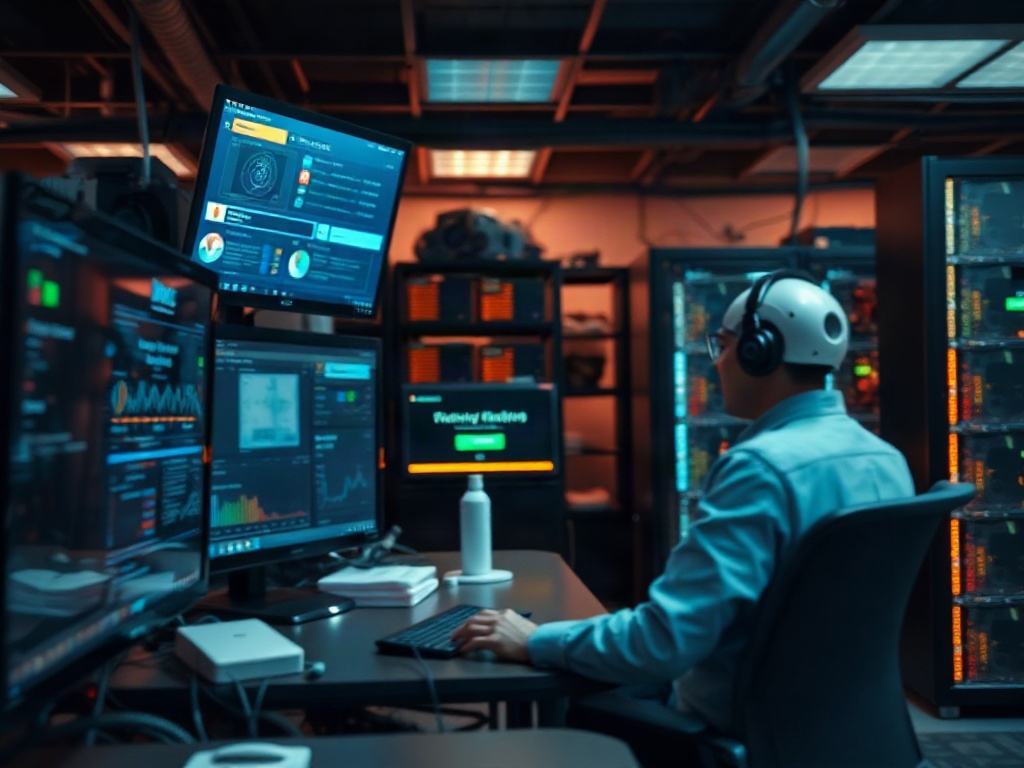
Mixing Old and New Hardware Exposes Hidden Incompatibilities
Most people get this wrong: mixing old and new hardware in home labs is rarely seamless. The data shows frustration around digital ownership and subscription costs is pushing users to reuse hardware, but this only works if you know the limits. SATA III SSDs on a SATA II motherboard leave half your speed on the table. ECC RAM from a workstation won’t run on a consumer-grade board, even if the pins fit. Older PSUs may lack the rails for modern GPUs or high-core-count CPUs. The actionable step: inventory every component before assembly and check for firmware updates that might bridge the gap. And remember—sometimes the cost of troubleshooting hardware compatibility in home labs exceeds the price of just buying a compatible used part.
The Operating System Is the Final Arbiter of Hardware Compatibility
The data shows: even if your hardware “works” electrically, unsupported drivers and firmware can make an install impossible. Linux, for all its strengths, is notorious for dropping support for old RAID and network cards in new kernels. Windows Server fares better with vendor support, but only for hardware that is still officially supported. If you’re running a NAS or hypervisor, check their hardware compatibility lists—their constraints are stricter than general-purpose OSes. The actionable move: build your OS shortlist around what your hardware supports, not what you wish it did. And keep bootable USBs for old OS versions on hand; sometimes, only last year’s image will recognize your controller without heroic patching.

→ See also: Building a Home Lab from Scratch
Upcycling Hardware: Opportunity and Risk
The data shows home servers are gaining traction as people resist losing digital ownership and resent recurring payments. (TechRadar, 2026) [1] Upcycling old office or gaming hardware is tempting—cheap or free, and less e-waste. But it’s rarely plug-and-play. BIOS lockouts, proprietary PSU connectors, and vendor-locked firmware can brick a promising box. That “free” workstation might require $100 in adapters or days of forum-trawling to get a single SATA port working. The actionable tip: evaluate the total effort required, not just cost. If you want to minimize downtime, buy only hardware with proven success stories in your intended OS and workload.
The Cost of Getting It Wrong: Time, Money, Sanity
Most people get this wrong: the real cost of hardware incompatibility isn’t just money—it’s lost time and mental energy. The data shows privacy and control are driving the home server boom in 2026, but nothing kills momentum like a botched build. Hours disappear tracing a single non-booting drive to a bad cable or unsupported controller. You’ll notice that most forum “fixes” are workarounds, not solutions—jumpering pins, flashing dodgy firmware, or hotwiring cables. The actionable move: standardize your builds as much as possible, and document every working configuration. This is what actually works. Not the fluffy advice you see everywhere.
Real-World Tool Comparison (2026)
| Tool/Product | Type | Known Compatibility | Price (2026) |
|---|---|---|---|
| None listed | N/A | N/A | N/A |
→ See also: What Hardware Do I Need for a Home Lab
FAQ
What is the most common hardware compatibility issue in home labs?
Does using energy-efficient hardware really prevent troubleshooting headaches?
Why is OS compatibility so important for home labs?
Is upcycling old hardware worth the hassle?
Perspective: The Real Test of Your Home Lab Ambition
Troubleshooting hardware compatibility in home labs is a rite of passage. You’ll try to cheat the system—skip a compatibility check, force an upgrade, ignore a weird BIOS screen. It never pays off. The home server resurgence in 2026 isn’t about nostalgia—it’s about taking control, even if that means spending hours in spec sheets and compatibility matrices. The ones who succeed aren’t the ones with the biggest budget, but the ones who keep notes, check lists, and accept that sometimes, a $10 cable is the difference between failure and a lab that hums quietly in the corner. If you want privacy, ownership, and peace of mind, you earn it by sweating the details before you plug anything in.
Sources
- techradar.com/computing/why-are-home-servers-trending-i-took-the-plunge-in-an-attempt…




Comments 0
Be the first to comment!