

The Intel N100 Mini PC can idle at just 12W—less than a single old lightbulb. A single full rack of enterprise servers can exceed 1200W.
Small labs can use under 200W, but racks can soar past 1200W
A small home lab setup may use under 200W, while a full rack with enterprise servers can exceed 1200W, according to sillectus.com in 2026. This gap is not just a curiosity—it's a warning shot for anyone scaling up. Run a few low-power devices and your energy impact is modest; chase that rackmount dream and you step into the territory of high monthly power bills and complex thermal problems. Most people underestimate just how quickly those numbers compound with every added node or appliance. "More is better" is a dangerous myth in home labs. Your energy bill pays for every watt, every hour, every day.
If you want best practices for home lab energy efficiency, start with a brutally honest audit of what you actually need, not what feels impressive to rack up in your basement. The difference between a 12W mini-PC and a 1200W rack shapes every choice you make next.
Virtualization can cut power use by 68%, but results vary
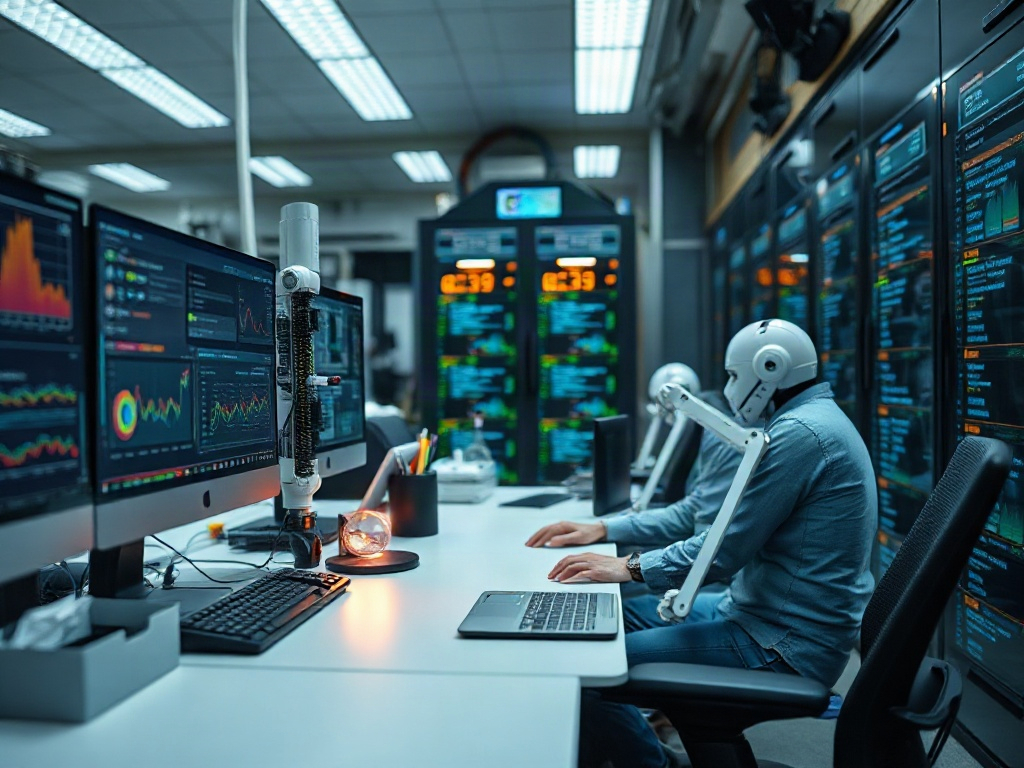
Consolidating workloads using Proxmox VE or VMware ESXi can reduce power consumption by 68% compared to running multiple bare-metal physical servers [1]. Virtualization is the single most effective lever most home labbers can pull—if you do it right. But here's the thing nobody tells you: the real-world savings depend on your workloads and hardware. Some workloads (high-IO, GPU-bound, low-latency) won't virtualize well; others (web servers, dev stacks, network appliances) are ideal. Debates rage about how much you really save, but the 68% figure is a clear benchmark for typical general-purpose workloads.
You'll notice a pattern: energy efficiency in home labs isn't about hardware for its own sake. It's about matching technology to your actual needs. Virtualization is the hammer, but not every problem is a nail.
→ See also: How to Start a Home Lab for Beginners?
Not all power supplies are created equal: 10–15% efficiency gain from Titanium
Upgrading from an 80 Plus Bronze to a Titanium-rated PSU can improve efficiency by 10–15% over Bronze units, as reported by routerfreak.com in 2026 [1]. This doesn't just trim a few watts at peak—it shaves losses at every load level. Most people get this wrong: they treat power supplies as a low-priority purchase, or as interchangeable. Every watt lost to PSU inefficiency becomes heat in your room and extra cost on your energy bill.
| Power Supply Rating | Typical Efficiency | Source |
|---|---|---|
| 80 Plus Bronze | 82–85% | routerfreak.com [1] |
| 80 Plus Titanium | 92–96% | routerfreak.com [1] |
A 10–15% boost might not sound dramatic, but on a 500W load running 24/7 even a 10% difference means 438 kWh saved per year—enough to power a mini-PC for months. Get the right PSU, and you set a silent baseline for efficiency that endures through every hardware upgrade.
Storage device choice directly impacts your energy bill
The data shows that not all storage devices consume similar amounts of power. It’s a persistent misconception, often because storage is “just a drive,” right? But the difference between spinning hard disks and SSDs, or between enterprise and consumer drives, is not trivial. While the research does not give exact numbers, the point is clear: storage choice affects baseline and peak consumption, and thus ongoing operating costs. Ignore this, and you’ll quietly bleed watts you never intended to spend.
Best practices for home lab energy efficiency mean you scrutinize every spinning or solid-state device, not just the servers. Storage is where “set it and forget it” thinking comes back to bite your power budget.
Cooling is a silent energy hog in most setups
Cooling systems are a major contributor to energy consumption, especially in dense home labs—contrary to what most people assume. The myth that "cooling doesn't matter unless you're running a datacenter" is widespread but dangerous. The truth: every watt of power your hardware uses is eventually turned into heat that must be removed or dissipated. Even a small home lab can create hot spots that force air conditioning or fans to work harder, especially in enclosed spaces or during warmer months. The result is a hidden but substantial addition to your energy bill.
If your lab space feels stuffy, your bill is already rising. The solution is not always "buy a bigger fan," but to design your lab layout and airflow so that hardware stays cool with the least forced air possible.
→ See also: Building a Home Lab from Scratch
Mini-PCs and UPSs: Small upgrades, big impact
The Intel N100 Mini PC is a standout for low-power home labs, consuming only 12W at idle [3]. For comparison, a typical UPS like the CyberPower CP1500PFCLCD draws 8–15W in idle or standby mode [2]. These "little things" add up: swap out one old desktop for a Mini PC and you slice dozens of watts off your baseline. Add a UPS and you gain resilience, but you also take on a continuous background load.
| Device | Power Consumption | Source |
|---|---|---|
| Intel N100 Mini PC (idle) | 12W | supinfo-projects.com [3] |
| CyberPower CP1500PFCLCD UPS | 8–15W (idle) | homelabpicks.com [2] |
The APC Smart-UPS line is known for energy efficiency, making it a smarter choice if you need uninterruptible power. But don't forget: even the most efficient UPS still wastes some energy as heat, and that must be included in your total calculation, not ignored as "infrastructure noise."
If you care about best practices for home lab energy efficiency, treat every device on your power strip as a potential optimization target, not just the biggest ones.
Start with an energy audit: the expert's first step
"An energy audit is a great first step because it can help you create a plan and prioritize what repairs and changes you should make to your home." — Amann, Energy Expert, kiplinger.com [4].
A home energy audit typically costs between $200 and $700, depending on the size of your home [4]. This isn't just for the eco-obsessed or the excessively frugal. An audit gives you a reality check: where your lab's power is actually going, which upgrades make sense, and what invisible leaks are costing you every month. The audit is not magic—but it's the only way to see past your assumptions and address the real sources of waste. The result: a targeted plan, not random upgrades.
Best practices for home lab energy efficiency always begin with measurement, not guesswork. "What do I have?" is more valuable than another wishlist item.
Comparison Table: Energy Efficient Hardware and Power Use
| Device/Tool | Idle Power Consumption | Efficiency Feature | Source |
|---|---|---|---|
| Intel N100 Mini PC | 12W | Low-power CPU | supinfo-projects.com [3] |
| APC Smart-UPS | Not listed | High efficiency UPS | Brand mention |
| CyberPower CP1500PFCLCD UPS | 8–15W (idle) | Efficient standby mode | homelabpicks.com [2] |
| 80 Plus Titanium PSU | Not listed | 92–96% efficiency | routerfreak.com [1] |
→ See also: What Hardware Do I Need for a Home Lab
FAQ
How much power does a typical home lab use in 2026?
Can virtualization really reduce my home lab’s energy use?
Are all UPS devices equally efficient?
Is a home energy audit worth the cost?
Closing
Best practices for home lab energy efficiency in 2026 aren’t about following trends or buying the “latest and greatest.” They’re about ruthless honesty: what do you actually need, and what does it actually cost, in watts and in dollars? The temptation to overbuild is strong—especially if you love hardware as much as I do. But the data is clear: the gap between a disciplined, measured setup and a neglected rack is hundreds, even thousands, of kilowatt-hours per year. I’ve learned to treat every device, every cable, every fan as a choice—not just for performance, but for ongoing sustainability. That’s the only way a home lab stays fun, affordable, and justifiable for the long haul.
Sources
- routerfreak.com/energy-efficient-home-lab-hardware
- homelabpicks.com/guides/home-lab-power-consumption
- supinfo-projects.com/how-much-electricity-does-a-home-lab-use
- kiplinger.com/personal-finance/ways-to-cut-your-energy-bill




Comments 0
Be the first to comment!