
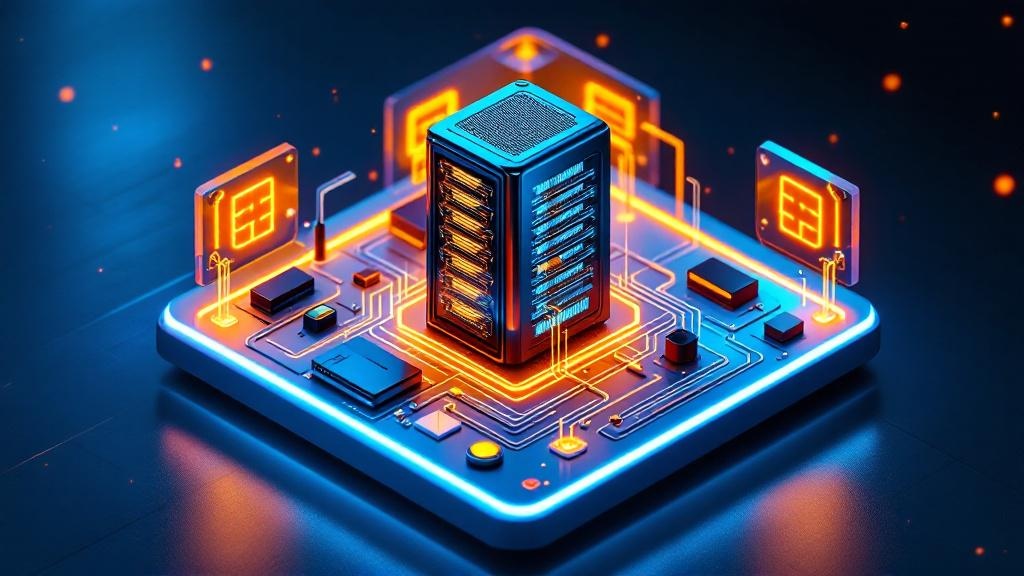
A Raspberry Pi home server can run 24/7 for about $1 per month in electricity.
Setting up a private cloud at home is more than a DIY project—it's a rebellion against paying $120 a year for someone else to guard your photos, documents, and code. The home Network-Attached Storage (NAS) market didn’t expand by over 15% in 2024 because people wanted more blinking lights in their closets. It’s about control, privacy, and the satisfaction of running your own infrastructure (cloudinsight.cc).
Running a Private Cloud at Home Is Cheaper Than You Think
A typical DIY home cloud setup using an Intel N100 processor costs about $350 upfront, while public cloud storage can reach $120 per year with ongoing fees (nextgentech2.online). The math is simple: after three years, you’re ahead—especially if you use hardware you already own. Repurposing an old desktop with 4GB RAM and a 32GB drive is perfectly viable, and if you need more power, refurbished mini PCs start at $100 (datacenter.dev).
People assume home clouds need expensive, new equipment. The reality: you can get started for under $150 if you’re resourceful. Electricity costs are manageable too, ranging from $1–$20 per month at $0.15/kWh depending on your hardware (setup.cloud). The platform you choose—Proxmox VE, TrueNAS, or Unraid—doesn’t require a supercomputer. You don’t need Nvidia DGX Spark unless you plan to run local AI models at scale. Most people aiming for a simple cloud setup will never touch that level of hardware.
The bottom line: you can build a private cloud for less than the price of a new phone, and the ongoing costs are a fraction of what public services demand.
Home-Based Private Clouds Offer Real Privacy and Versatility
Control over your data isn’t just a nice-to-have; it’s the point. When you run a private cloud at home, you decide where your files live, who can access them, and how they’re backed up. A home server isn’t just for file storage—it can be your media center, game server, or even a smart home hub. The versatility is unmatched, and it’s a one-time investment with long-term benefits (cloudinsight.cc).
Security is both your greatest asset and your greatest challenge. You’re responsible for maintenance, patches, and updates—no more blaming someone else when things break. The trade-off: total autonomy. Convenience is what public clouds sell, but privacy and control are what you buy when you self-host.
You’ll notice that with the rise of local AI, such as Nvidia’s DGX Spark at $4,699, some enthusiasts are integrating AI processing directly into their home clouds (tomsguide.com). For most, this is overkill. Still, the trend shows just how far home setups can go.
The actionable takeaway: treat your home cloud as production infrastructure. Document your setup, keep firmware and software up to date, and don’t skip on good passwords. This is what actually works. Not the fluffy advice you see everywhere.
→ See also: How to Start a Home Lab for Beginners?
The Hardware Spectrum: From Repurposed Laptops to Rack Servers
Most people get this wrong: you don’t need a rack full of servers to run a private cloud at home. In 2026, many successful setups still run on old desktops or refurbished mini PCs. The minimum specs? 4GB of RAM and a 32GB drive (datacenter.dev).
If your ambitions grow, modularity is your friend. Refurbished mini PCs fall between $100 and $300, while robust rack servers range from $300 to $1,000. The hardware you choose dictates power consumption: Raspberry Pi boards sip 5W, while larger NAS systems chew through 40–120W (setup.cloud). At $0.15/kWh, that means a difference of $1 to $20 per month in your electricity bill.
The Intel N100 is a sweet spot for cost-effective, low-noise, low-heat builds, especially if you want a server that won’t double as a space heater. If you’re after local AI, Nvidia’s DGX Spark exists at the other end of the spectrum for $4,699, but that’s a niche within a niche (tomsguide.com).
Here’s the thing nobody tells you: start small and scale. Many assume home-based clouds can’t grow. The truth—add drives, stack another mini PC, or upgrade components as needed. Flexibility, not brute force, is how most home clouds thrive.
| Tool | Type | Typical Price |
|---|---|---|
| Proxmox VE | Virtualization Platform | Free |
| TrueNAS | NAS OS | Free |
| Unraid | Hybrid OS | $59 (entry license) |
| Intel N100 PC | Hardware | $350 (initial setup) |
| Nvidia DGX Spark | AI Supercomputer | $4,699 |
Choosing the Right Software: Proxmox VE, TrueNAS, and Unraid
The data shows that open-source platforms like Proxmox VE, TrueNAS, and Unraid dominate the private cloud landscape (cloudinsight.cc). Each serves a different need: Proxmox VE is for virtualization and containerization, TrueNAS is storage-first, and Unraid combines storage, virtualization, and apps for a flexible experience.
Proxmox VE lets you run multiple virtual machines or Linux containers on your hardware. It’s a favorite for anyone who wants to try different operating systems or keep services isolated. TrueNAS excels at managing data—think file sharing, backups, and media streaming. Unraid stands out for blending storage with Docker and VM support, making it ideal if you want everything in one place.
Installation for these platforms is straightforward. Burn the ISO, boot from USB, and follow the setup wizard. You’ll spend more time deciding what services to run than you will on the initial install.
Most people overthink the OS. The actionable takeaway: pick the platform that aligns with your main use case, and don’t worry about missing out—migrating later is always an option. If you only care about file storage and backups, start with TrueNAS. If you want to experiment with containers, Proxmox VE is your friend.
Power Consumption and Ongoing Costs: The Real Numbers
Electricity consumption for a home server fluctuates from 5W for a Raspberry Pi to 120W for a large NAS system (setup.cloud). At $0.15 per kWh, your monthly bill can range from $1 to $20, depending on your build. This is rarely the budget breaker people fear.
The reality is, most home servers—especially those using an Intel N100 or a mini PC—fall at the lower end of this range. If you run a stack of virtual machines, expect slightly higher costs, but still a fraction of the price of public cloud subscriptions.
Public cloud services might seem cheap at $10 per month, but over three years that’s $360, and your data is always subject to someone else’s rules. A $350 DIY setup pays for itself in two to three years. After that, it’s pure savings. Just don’t ignore hardware aging and rare part replacements.
If you’re optimizing for efficiency, modern mini PCs or even a Raspberry Pi are the way to go. The takeaway: calculate your ongoing costs based on actual wattage, not best-case guesses. Saving $10 a month on electricity is as good as finding $10 under your keyboard each month.
→ See also: Building a Home Lab from Scratch
Backup Strategy: Why the 3-2-1 Rule Still Matters in 2026
Implementing a 3-2-1 backup strategy is non-negotiable. You need three copies of your data, two different media types, and one offsite backup (nextgentech2.online). This isn’t just for the paranoid—it’s for anyone who believes hard drives will only fail when it’s least convenient.
Too many home cloud setups treat backups as an afterthought. A single disk, no redundancy, and wishful thinking—until the drive dies. Cloud sync, external drives, and automated snapshotting are your friends. The 3-2-1 rule protects you from theft, hardware failure, and accidental deletion.
The actionable takeaway is simple: schedule automated backups from the start. The peace of mind is worth more than every other feature combined.
Home Labs Are the Best Learning Platform (and CV Booster)
Most people overlook the biggest benefit: running a private cloud at home is hands-on education in IT infrastructure, networking, and system administration (speedtesthq.com). Every odd error message, every flaky network cable teaches you more than any certification bootcamp. You’ll get real experience with the same tools and practices as enterprise sysadmins—just without the pager.
The learning curve is steep at first, but the confidence boost is real. Projects that once seemed mysterious—VPNs, firewalls, container orchestration—become everyday tools. The skills are transferable and look good on a resume, especially as more companies value practical experience over paper credentials.
You’ll find yourself troubleshooting, researching, and documenting your setup. Expect failures, misconfigurations, and the occasional late-night DNS crisis. The payoff: you become the person people turn to when their “cloud” goes down. The actionable takeaway: lean into the pain. The learning is in the struggle, and the confidence comes from solving your own problems.
"A home server can be a NAS, media center, game server, smart home hub—versatile and a one-time investment with long-term benefits." — cloudinsight.cc
Myths and Trade-Offs: What Most People Get Wrong
High initial costs and complexity are the most persistent misconceptions. The truth is, with guides and open-source software, anyone can set up a private cloud—no IT degree required. Repurposing old hardware or buying refurbished gear makes it accessible to almost anyone.
Scalability is only limited by your planning. Modular setups mean you can add drives or nodes as your needs grow. Security is a double-edged sword: you gain control, but you also inherit the responsibility for keeping your system patched and monitored. This is the trade-off for true privacy.
Cost-benefit debates will never end. Some argue that the convenience of public clouds outweighs the hassle of self-hosting. Others, like me, think the value of learning, privacy, and ownership makes every router reboot worthwhile. The actionable takeaway: don’t let myths hold you back. The only way to know if self-hosting is right for you is to try it.
→ See also: What Hardware Do I Need for a Home Lab
Integrating Local AI: The New Frontier for Home Clouds
Local AI isn’t science fiction. With Nvidia’s DGX Spark priced at $4,699, running advanced AI models at home is now possible (tomsguide.com). For most home users, this is aspirational tech, but it signals where the trend is headed. Running AI locally means your private cloud isn’t just about storage—it can power smart assistants, automate media tagging, or run personal analytics without sending data to the public cloud.
The privacy advantage is obvious: your sensitive data never leaves your network. Performance is better too—no more waiting on remote servers or bandwidth bottlenecks. The catch: high initial investment and the need for robust cooling and power.
If your use case is basic file storage and media streaming, you don’t need to shell out for AI hardware. But if you’re experimenting with AI workflows, local hardware gives you an edge in speed and privacy. The actionable takeaway: keep an eye on this space. What’s expensive today could be your next home lab upgrade in a year or two.
FAQ
How much does it cost to run a private cloud at home in 2026?
What hardware do I need to build a home cloud?
Which software should I use for my private cloud?
How do I back up my private cloud data?
Closing Perspective
The private cloud isn’t just for paranoiacs or tinkerers anymore. In 2026, it’s a legitimate alternative to public clouds, driven by a desire for privacy, control, and long-term value. The satisfaction of running your own stack, knowing every byte is under your control, is hard to overstate. You’ll stumble, you’ll learn, and eventually, you’ll realize that the cloud is just someone else’s computer—unless it’s yours. That’s the real win.
Sources
- cloudinsight.cc/en/blog/home-server-setup-guide
- nextgentech2.online/setup-a-private-cloud-server-at-home
- setup.cloud/home-cloud
- datacenter.dev/community/guides/getting-started
- tomsguide.com/ai/nvidia-says-local-ai-is-here-and-it-could-change-how-you-use-ai-at-h…
- speedtesthq.com/guides/homelab/what-is-a-homelab




Comments 0
Be the first to comment!