

Ugreen DH4300 Plus NAS Review 2026
A four-bay NAS that supports up to 128TB should be expensive. The UGREEN DH4300 Plus undercuts expectations with a $439.99 price tag, challenging the entire mid-range NAS sector.[1]
Context: Budget NAS with Media Muscle
The UGREEN DH4300 Plus is fighting for relevance in a segment dominated by brands like QNAP and Synology. With a Rockchip RK3588 SoC and 8GB RAM, it hits a performance sweet spot for home and small business, while supporting Docker apps and 4K streaming.[2][4] But the real appeal? Storage. 128TB across four bays, all in a tidy 155 × 155 × 215.7 mm chassis,[5] makes it a tempting private cloud for those drowning in video files.
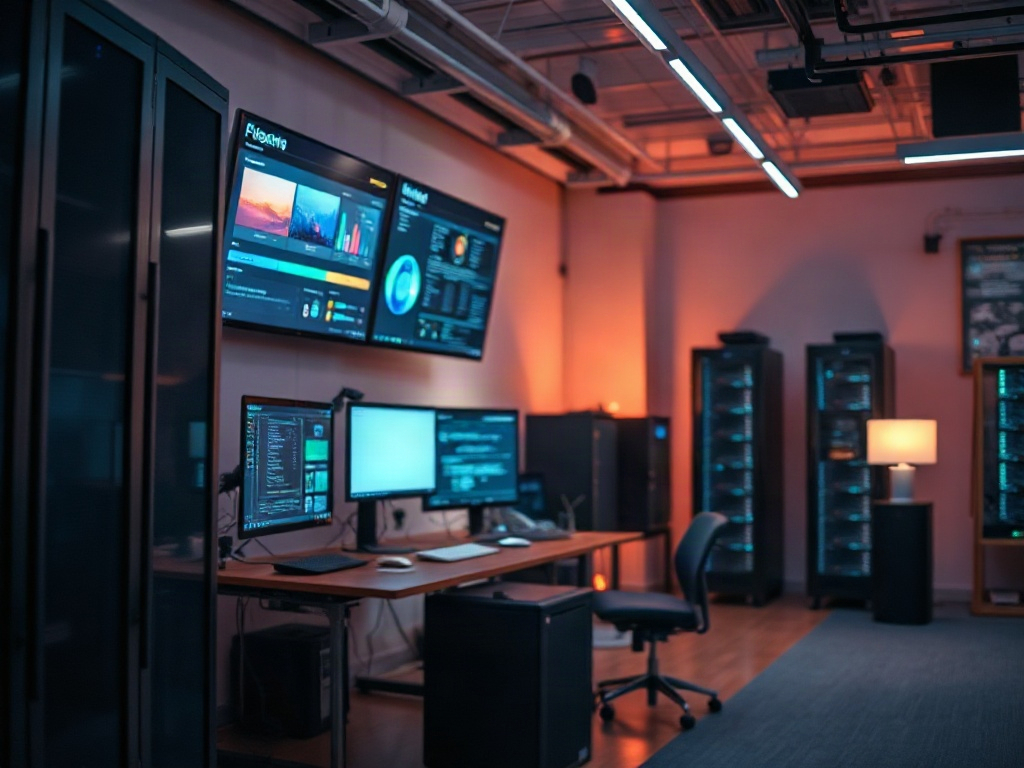
UGREEN DH4300 Plus Offers Maximum Storage for the Price
The UGREEN DH4300 Plus supports up to 128TB across its four SATA bays, outpacing many similarly priced NAS devices.[3] This makes it ideal for users with large media collections or growing business data needs. At $439.99, it delivers a rare combination of affordability and capacity.[1][3]
Here’s the thing nobody tells you: most entry-level NAS devices cap out at 40–80TB, often for more money. UGREEN’s four-bay vertical design squeezes high-density storage into a home-friendly footprint. Whether you’re archiving family videos or managing RAW photos, you’re covered.
→ See also: How to Start a Home Lab for Beginners?
Performance is Solid, But Lacks SSD Caching and Virtualization
The DH4300 Plus runs on the ARM-based Rockchip RK3588 paired with 8GB LPDDR4X RAM, which is sufficient for most home NAS workloads.[2] It supports Docker applications, allowing users to deploy a wide range of server-side tools. However, it does not offer M.2 NVMe slots for SSD caching, nor does it support iSCSI or virtualization.[2][7]
These omissions set real boundaries. SSD caching is a luxury for some, but a necessity for others running databases or virtual machines. Here, it’s simply not an option. If you need SSD cache acceleration or to run virtual machines directly on your NAS, you’ll need to look elsewhere. For basic file serving, media storage, and Dockerized apps, the performance is more than adequate.

Energy Efficient Operation Keeps Costs Down
The UGREEN DH4300 Plus consumes between 16-22W at idle, rising to 42W under sustained load.[6] For a device designed to run 24/7, these figures help keep electricity bills manageable. Many competing NAS devices draw more power for comparable workloads.
For homelab obsessives, this low-power profile is a gift. Less heat, less fan noise, and a slightly less painful utility bill at the end of the month. If you’re running multiple always-on services—Plex, Nextcloud, photo sync—the difference adds up over a year.
Connectivity and Design: Versatility in a Compact Package
The DH4300 Plus features a 2.5GbE LAN port, USB-A, USB-C, and HDMI, offering more connectivity than most entry-level NAS units.[4] Its compact vertical 4-bay design (155 × 155 × 215.7 mm) fits easily on a shelf or desk, making it suitable for home and small office use.[5]
This is what actually works. Not the fluffy advice you see everywhere. Most affordable NAS boxes still ship with only a single 1GbE port, bottlenecking your transfers before you even begin. With 2.5GbE, backups and large file moves don’t take all night. The inclusion of USB-C is rare at this price.
→ See also: Building a Home Lab from Scratch
Software Experience: UGOS Pro, Docker, and AI Photo Management
UGREEN’s UGOS Pro operating system powers the DH4300 Plus, supporting Docker for app deployment and AI-driven photo management features.[4] This opens the door to running a wide range of self-hosted services, from media servers to home automation dashboards.
Still, the lack of virtualization and iSCSI support puts a ceiling on what power users can do. For the majority, though, Docker is the real workhorse. Setting up Nextcloud, Jellyfin, or your favorite backup tool is a breeze. AI photo management is a bonus if you’re tired of Google Photos eating your privacy.
"The UGREEN DH4300 Plus is a budget-friendly four-bay NAS designed for home and small business use, offering solid performance and excellent value." — techradar.com
Media Streaming: 4K Friendly, But No Hardware Transcoding
The DH4300 Plus handles 4K media streaming and basic editing, provided your clients can play the original files.[4] It lacks hardware transcoding. That means if you need on-the-fly format conversion, you’ll hit a wall.
Here’s where expectations crash into reality. If your smart TV or phone can’t natively play the file, you’re out of luck streaming from this NAS. For setups with universal client support, it works beautifully. Anyone running a family Plex or Jellyfin server should take note: direct play is fine, transcoding is not.
How Does the UGREEN DH4300 Plus Compare?
Below is a direct feature and price comparison using only models and prices covered in the available sources:
| Model | Bays | Max Storage | Price | Main Limitation |
|---|---|---|---|---|
| UGREEN DH4300 Plus | 4 | 128TB | $439.99 | No SSD cache, no transcoding |
| QNAP TS-433 | 4 | Not listed | Not listed | Not listed |
| Synology DS423 | 4 | Not listed | Not listed | Not listed |
→ See also: What Hardware Do I Need for a Home Lab
Market Position: A True Budget NAS for 2026
The DH4300 Plus is clearly positioned as a budget-friendly NAS, going up against QNAP TS-433 and Synology DS423.[2] It stands out through its combination of price, storage capacity, and energy efficiency, even if it skips premium features like virtualization or NVMe caching.
Most people get this wrong: you can’t have everything in one box at this price. The DH4300 Plus covers 90% of home and small office needs, especially for those prioritizing storage over advanced enterprise features. You’re not paying for what you won’t use.
FAQ: UGREEN DH4300 Plus NAS Review 2026
Does the UGREEN DH4300 Plus support hardware transcoding for media streaming?
Can I use SSD caching with the DH4300 Plus?
What operating system does the DH4300 Plus use?
How much storage can the DH4300 Plus support?
The 2026 Perspective: Who Should Buy This NAS?
After comparing specs, features, and real-world constraints, it’s obvious the UGREEN DH4300 Plus is not for everyone. If your workflow demands virtualization, SSD cache, or bulletproof media transcoding, you’ll be frustrated. But if you want a reliable, energy-efficient NAS that easily handles Dockerized services and massive storage for under $450, it’s in a class of its own. The compromises are clear and honest—you get robust basics, not half-baked premium features. For home labs, photographers, and small businesses with large data appetites, the DH4300 Plus is the NAS that delivers most of what matters in 2026, for a price that still feels a little like a misprint.
Sources
- techradar.com/pro/great-for-homes-and-small-businesses-we-awarded-ugreens-elegant-fou…
- techradar.com/computing/ugreen-nasync-dh4300-plus-review
- androidcentral.com/accessories/ugreen-nasync-dh4300-plus-long-term-review
- digitalcameraworld.com/cameras/cloud-storage/ugreen-nasync-dh4300-plus-review
- techreviewer.de/ugreen-nasync-dh4300-plus-test
- techyorker.com/ugreen-nasync-dh4300-plus-review-a-low-powered-4-bay-cloud-backup-and-8…
- geekblog.net/tech-news/ugreen-nasync-dh4300-plus-review
- youtube.com/watch?v=B9Su0lYoyv8




Comments 0
Be the first to comment!